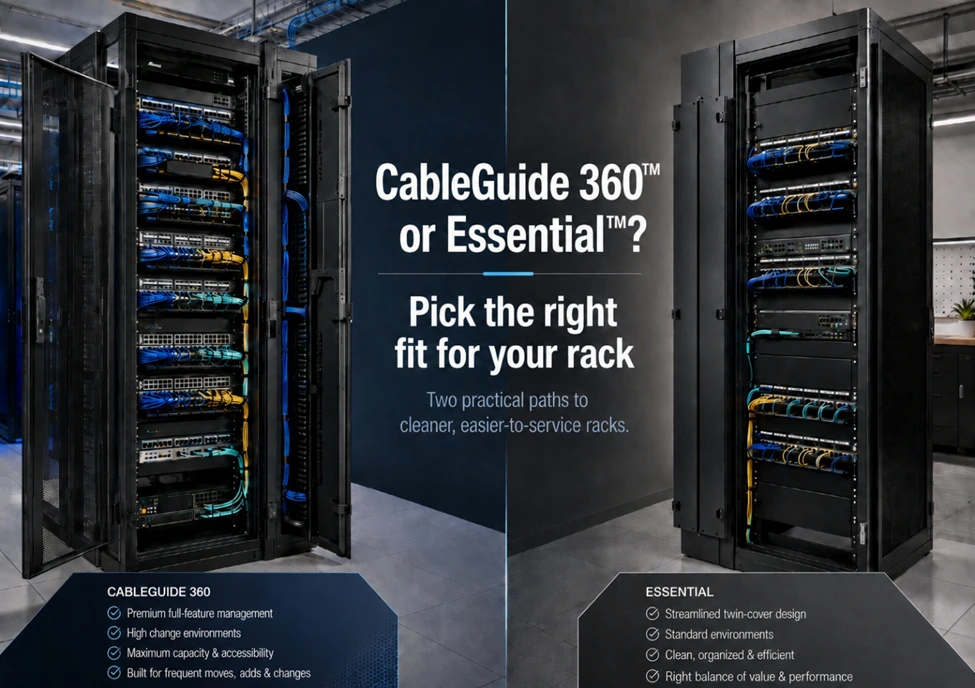
CommScope’s updated cable management platform is finally here, giving teams two practical paths for cleaner, easier-to-service racks: CableGuide 360™ for dense, high-change environments and CableGuide Essential™ for jobs that need cleaner routing and cable protection in a more streamlined design.
Cleaner racks, better access and options that fit the project
CableGuide 360 has been on our radar for a while and for good reason.
As racks get denser and network rooms keep absorbing more devices, cable management has to do more than keep things looking clean. It needs to make future moves, adds and changes easier.
It needs to protect copper and fiber. And it needs to keep crowded racks from turning into a mess every time someone opens the door.
We covered the CableGuide 360 earlier this year, but there’s a reason we’re bringing it back up now… Not one but two CableGuide options have landed at Capital Electric and CommScope’s updated platform may become the main path forward for teams who’ve been using older cable management options.
In other words: if you’ve been waiting to get hands-on with it, or you’re wondering whether it makes sense for your next rack buildout, this is a good time to ask.
Two versions, two types of jobs
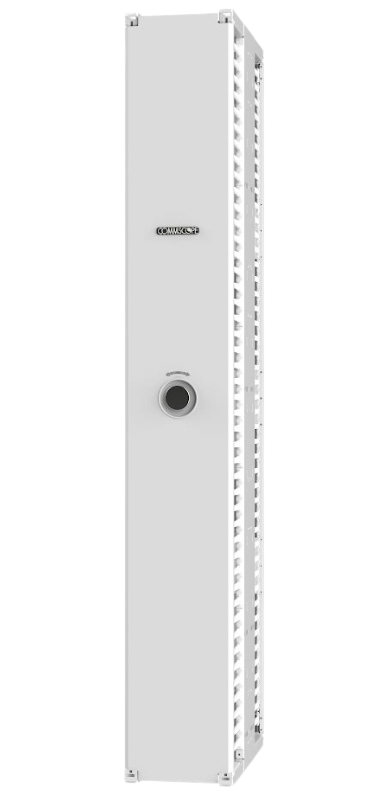
The important thing to know is that CableGuide is no longer a one-size-fits-all conversation.
CableGuide 360 is a full-featured system.
It’s built for complex cabling environments where density, access, capacity and long-term serviceability really matter. A premium, full-feature option, bringing the details that matter most in dense, frequently accessed racks:
- One-handed door operation for easier access
- Visual door status indicators
- Strong, flexible fingers to guide cables into controlled paths
- Bend-radius protection for copper and fiber
- Better separation around sliding shelves and equipment
- Zero-U mounting options that can help free up usable rack space
- Wider size options for higher-density applications
- Options for mounting panels directly inside the vertical cable manager
That last point matters for customers who are fighting for rack space, because networks rarely shrink. They just keep getting more crowded.
Every year, networks absorb more cameras, access control devices, wireless infrastructure, sensors, audio endpoints, automation systems and connected equipment. Eventually, all of that lands back in a Main Distribution Frame (MDF), Intermediate Distribution Frame (IDF) or equipment room that already had limited space to begin with.
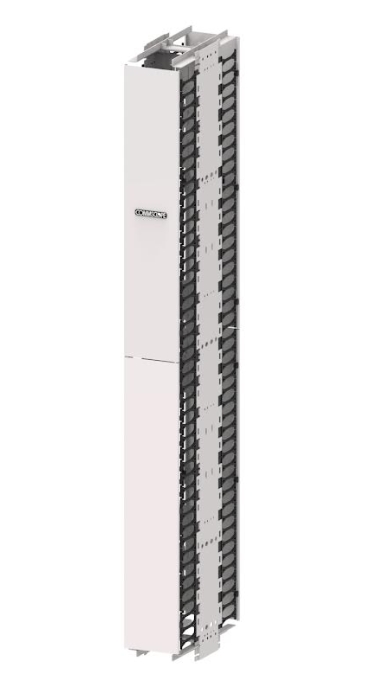
On the other hand, CableGuide Essential™ offers a more streamlined option.
It’s designed for jobs that still need cleaner routing, reliable cable protection and a better way to manage vertical and horizontal patching, but don’t require the full functionality of CableGuide 360.
Ideal for projects where:
- Cable density is moderate
- The rack is not constantly being accessed
- The project needs cleaner routing without overbuilding
- Budget is a bigger factor
- Six-inch or eight-inch managers are enough for the application
Instead of the full one-handed door system, Essential uses a simpler twin-cover design that keeps the product lighter, cleaner and better suited to standard rack environments.
Essential is a stronger fit for simpler racks, lighter-density environments or projects where the team wants better cable management without overbuilding the solution.
In practical terms, CableGuide 360 gives you more size flexibility, including 10-inch and 12-inch vertical managers, while Essential focuses on the common 6-inch and 8-inch applications.
This isn’t a “good vs. better” decision.
It’s a “what does this rack actually need to do?” decision.
Why this matters before the rack fills up
Cable management is easy to underthink until it starts costing time (and money).
A crowded rack makes every service call slower. Patch cords get harder to trace as they disappear into a maze of loops and bends. Cables cross paths like tangled highways with no clear exits. Doors become harder to close. Equipment gets harder to access. And every future change becomes just a little more painful than it needed to be.
CableGuide 360 and CableGuide Essential both help prevent that slow slide into cabling misery. The difference is how much structure, access and flexibility the job calls for.
If the rack is dense, frequently accessed or expected to keep growing, CableGuide 360 is likely the better long-term fit.
If the job is more straightforward but still needs clean, protected routing, CableGuide Essential may be exactly right.
The point is not just a cleaner rack; it’s a rack that stays easier to work on after the install is done.
Come see the difference
We have both CableGuide 360 and Essential at Capital Electric, so if you’ve been curious about the platform, want to compare the two versions or need help deciding what makes sense for an upcoming job, we can walk you through it.
Or, give us a buzz at (262)-788-9700 and let’s talk through the rack options, your cable density requirements and the long-term cable management plan before it becomes what slows a project down.