Designed to prevent the spaghetti bowl—not just cover it up. When density is unavoidable and change is constant, cable management has to do more than look clean on day one.
The new CableGuide 360: the end of cable chaos

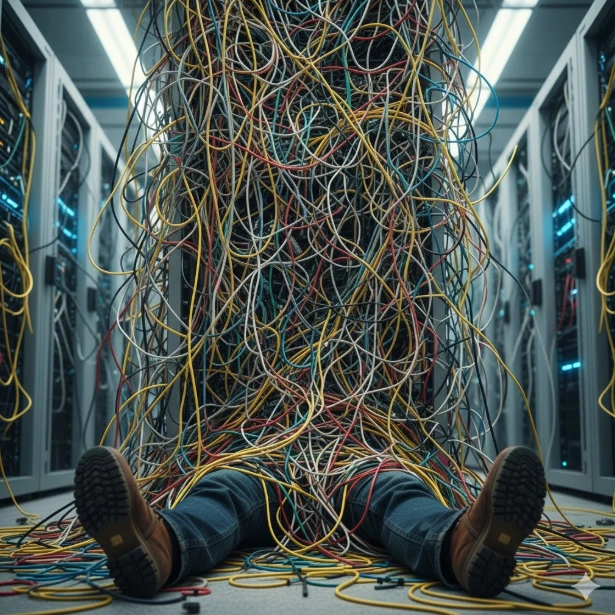
It looks like a bowl of spaghetti…but worse, because spaghetti you can at least eat. We’re talking about the slow creep of cable (mis)management. Open almost any rack that’s been in use for years and you’ve no doubt seen it…
What started as a clean install slowly turns into a tangle of patch cords, cables crossing paths or catching on shelves, making every change harder than it needs to be. That kind of mess isn’t the result of bad work. It’s just what happens when cabling management systems are asked to do more than they were designed for.
Clean routing isn’t cosmetic anymore, it’s operational. That’s the reality CommScope redesigned CableGuide 360 for.
Why CommScope’s new and improved CableGuide 360 exists
Modern networks are becoming denser and more dynamic by the day, with changes being a constant. Vertical and horizontal managers that worked fine in simpler environments struggle to keep up once racks fill, complexity increases and multiple cable types converge.

CommScope’s CableGuide 360 upgrade wasn’t created to tidy up racks for photos—though the cable organization ends up being photo-worthy—it was designed to meet the moment:
- Simplified, user-friendly design
- Easier and faster to deploy, access, move and manage during day-to-day work
- Increased capacity
- Support for higher cable counts without sacrificing organization or critical bend-radius protection
- Flexible and future-ready configurations
- Multiple sizes, widths, heights and mounting options adapt as your systems evolve
The goal is to better control where cables go and keep them protected so you can ensure peak uptime and ease of serviceability as networks grow.
Simplifying work at the rack

The new CableGuide 360 is designed around how racks are actually worked on after installation, taking into account feedback from CommScope’s enterprise customers.
Key usability features include:
- One-handed door operation so the other can handle cables
- Visual door-closed indicator for instant confirmation
- Easy-open trough covers that reduce resistance and forcing
- Pre-assembled, lightweight construction for faster handling and repositioning
- Fingers aligned with rack-mount units to speed moves, adds and changes
Add it all up and these details remove friction from routine tasks, reducing small handling errors that often lead to messy racks over time.
Designed to prevent the tangled lines
Cable managers of yesteryear: built to contain cables.
The new CableGuide 360: engineered to manage cable by enforcing consistent routing paths.
As racks fill up, routing discipline tends to breaks down. Cables drift, cross paths and interfere with equipment because older designs don’t intuitively guide where they should go once density increases.
CommScope addresses that by baking routing control into the hardware itself:
- Strong, flexible fingers guide cables into defined channels instead of letting them wander
- Built-in bend-radius protection helps protect both copper and fiber without constant monitoring
- Clear separation from sliding shelves and moving equipment reduces interference during maintenance
- Aligned exits keep routing predictable as cable counts increase
The result is cable management that stays controlled over time. By making the right path the easiest one, CableGuide 360 prevents clean installs from slowly degrading into tangled, hard-to-service racks.
Who CableGuide 360 is built for
This is a top-of-the-line unit, so it isn’t necessarily meant for every environment. It’s designed for situations where cable management has to hold up under real pressure.
It’s a strong fit for:
- Dense enterprise racks where cable counts continue to grow over time
- Main Distribution Frames (MDFs) and Intermediate Distribution Frames (IDFs) that require frequent access
- Mixed copper and fiber deployments that need superior bend-radius protection
- Teams responsible for long-term serviceability, not just initial installation
If your racks are static and rarely touched, simpler solutions are likely enough. CableGuide 360 is for environments where access, consistency and control matter every time the door is opened.
See it in person
Not sure if Gen 2 CableGuide 360 is right for you?
Swing by Capital Electric, we have it on display, giving you a chance to see how the system works, not just how it looks in a diagram. You can get hands-on with the routing, access points, accessories and design details that’ll keep your rack installs manageable over time.
Call us at (262)788-9700 to set up a time.